 Agent History
Install Agent History on Mac
1 Download
Download Agent History 0.3.59
2 Install
If Chrome blocks the download
- Open Chrome downloads.
- Find Agent History.dmg.
- Select the option to keep the download.
- If Chrome asks again, select Keep anyway.
Move the app to Applications
- Open the downloaded DMG.
- Drag Agent History onto Applications.
- Open Agent History from the Applications folder.
Allow the unsigned beta
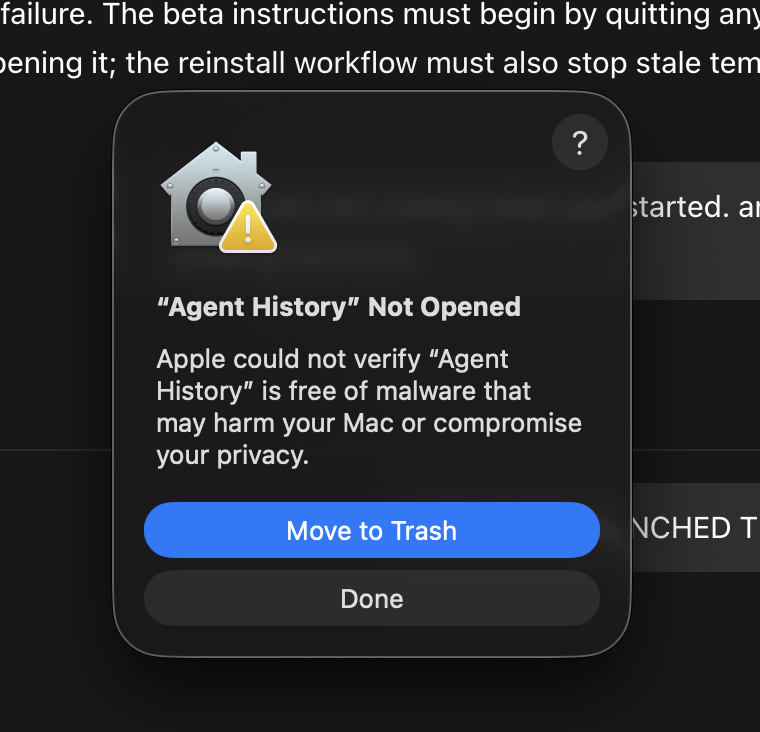
macOS first prevents the app from opening. Select Done. Do not select Move to Trash.
- Open System Settings.
- Open Privacy & Security.
- Find the message that says Agent History was blocked.
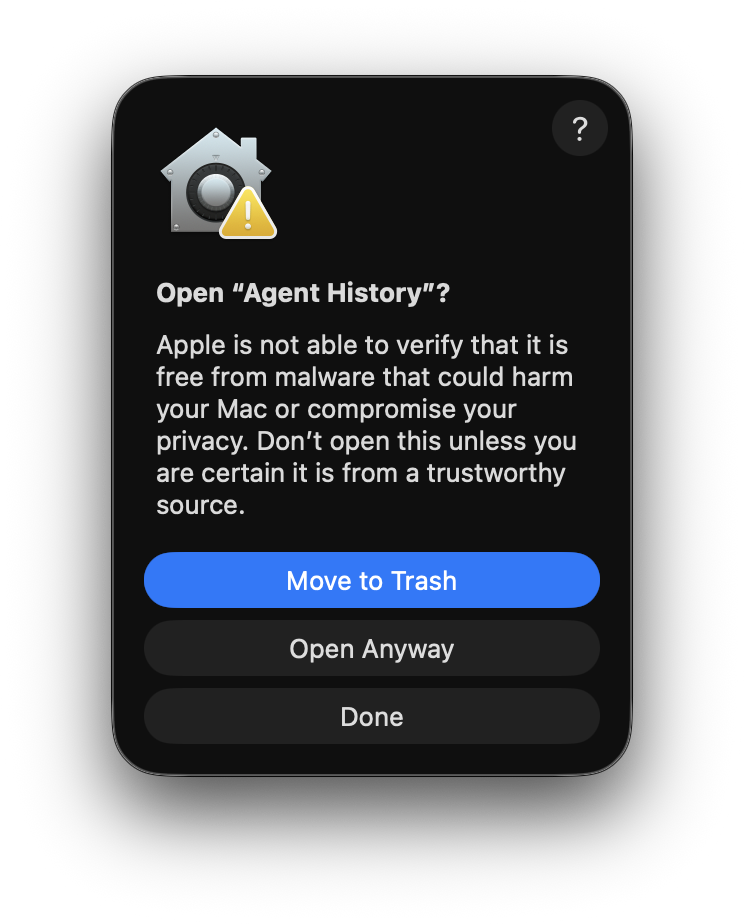
- Select Open Anyway.
- On the next warning, select Open Anyway.
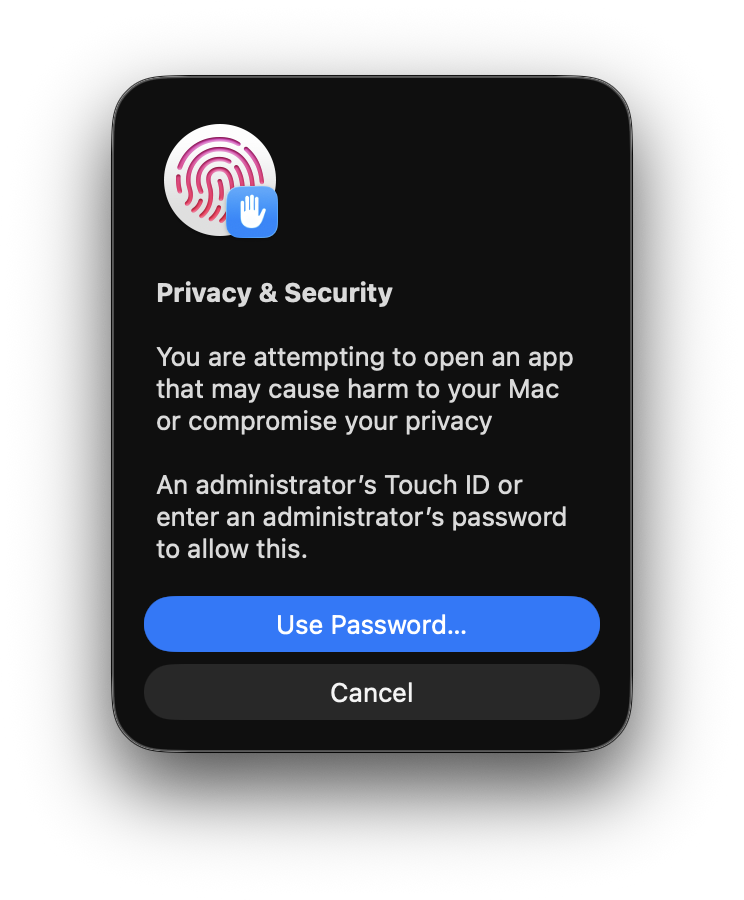
- Use Touch ID or select Use Password.
- If you select Use Password, enter the Mac administrator password.
Connect your agents
- Select Connect for Codex.
- Select Connect for Claude Code.
- Restart ChatGPT and Claude Code.
Sign in
- Select Sign in in Agent History.
- Sign in in Chrome.
- Return to Agent History.
- Select Open Agent History.
Agent History opens in the Mac menu bar, not the Dock.